Your harmonicas, not a generic one
Diatonic and chromatic, 4 to 24 holes, custom tunings, and the popular keys preconfigured. Calibrate each hole individually for blow and draw.
Harmonova listens through your mic, writes the notes onto the staff as you play, and scores you as you practise — so you can hear and see yourself getting better.
Harmonova turns what you play into proper harmonica tab and notation instantly — no manual transcription, no cloud, no account, no subscriptions.
However you prefer to learn — books, videos, with a tutor or by ear — Harmonova has the tools to get you to the next level. And if you'd rather be told what to practise next, it will do that too.
New — guided learning
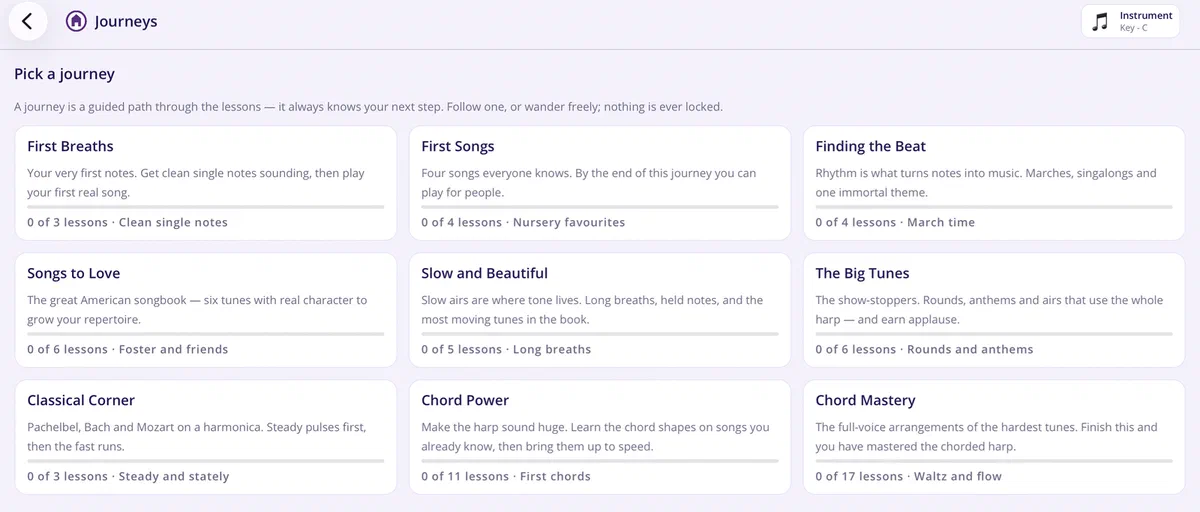
A journey is a guided path through the lessons, and it always knows your next step. Nine of them ship with the app — from First Breaths, where you get a clean single note sounding, all the way to Chord Mastery.
Follow one in order, or wander freely and dip into whatever takes your fancy. Nothing is ever locked. Your dashboard keeps a “continue where you left off” card so you're one tap from the next lesson.
New — the training room
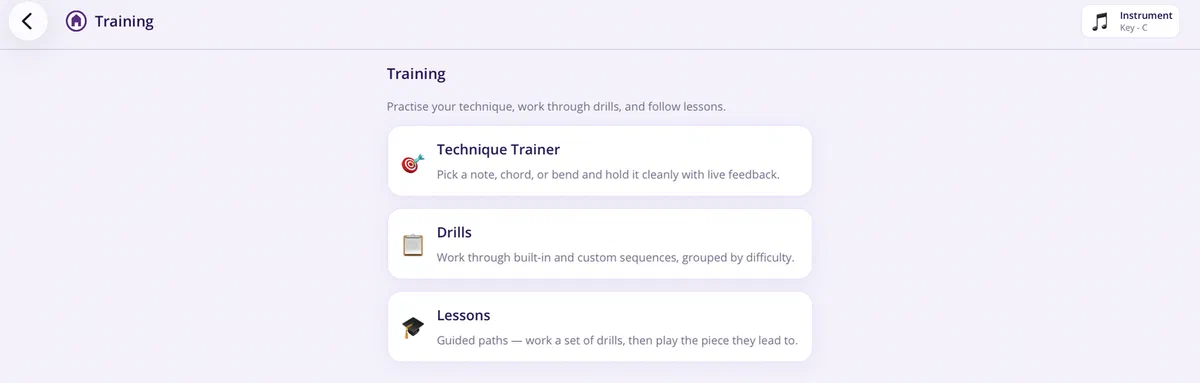
Everything that makes you better lives under one menu — pick the one that matches the ten minutes you've actually got.
Made a drill you're proud of? Export it as a single file and send it to a friend — it lands complete, with every drill and piece it needs.
Practice, scored honestly
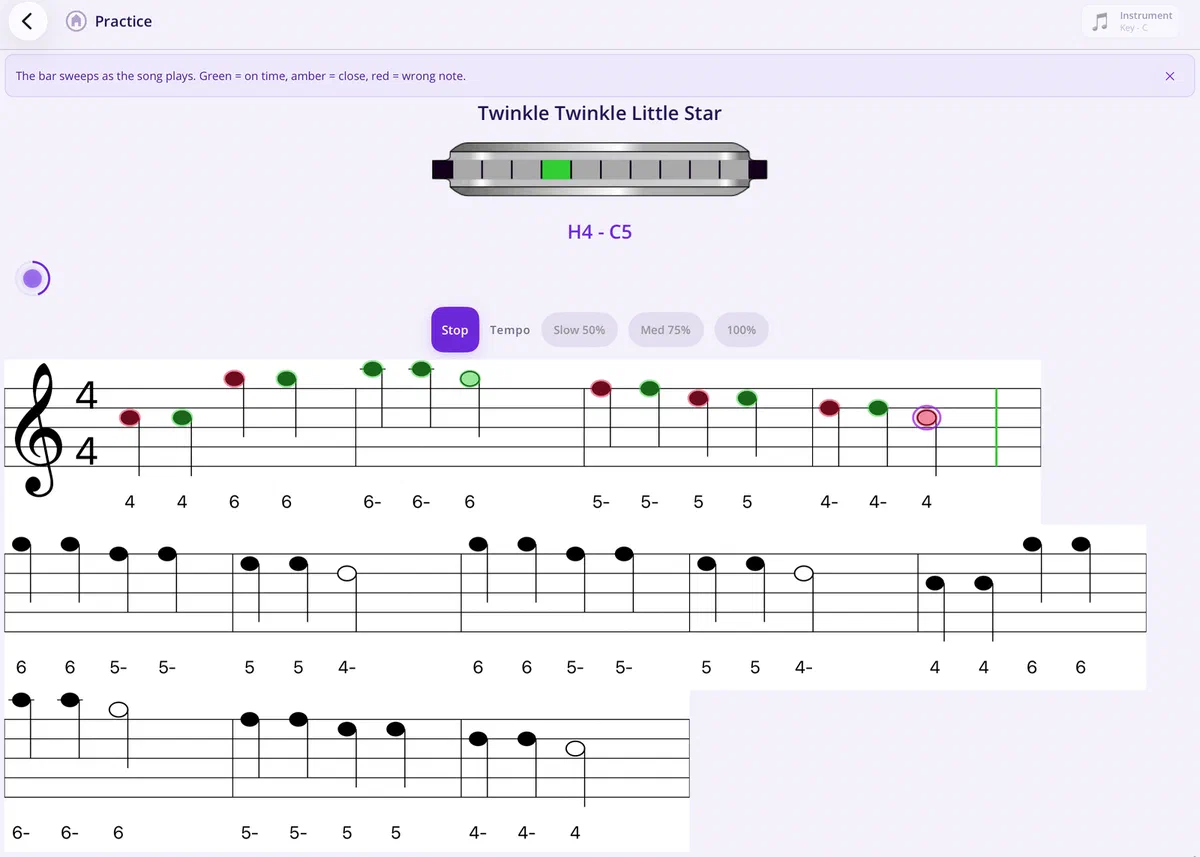
The bar sweeps across the music as it plays, and every note you play is judged against the note the bar is on right now — green for on time, amber for close, red for the wrong note.
Where it started
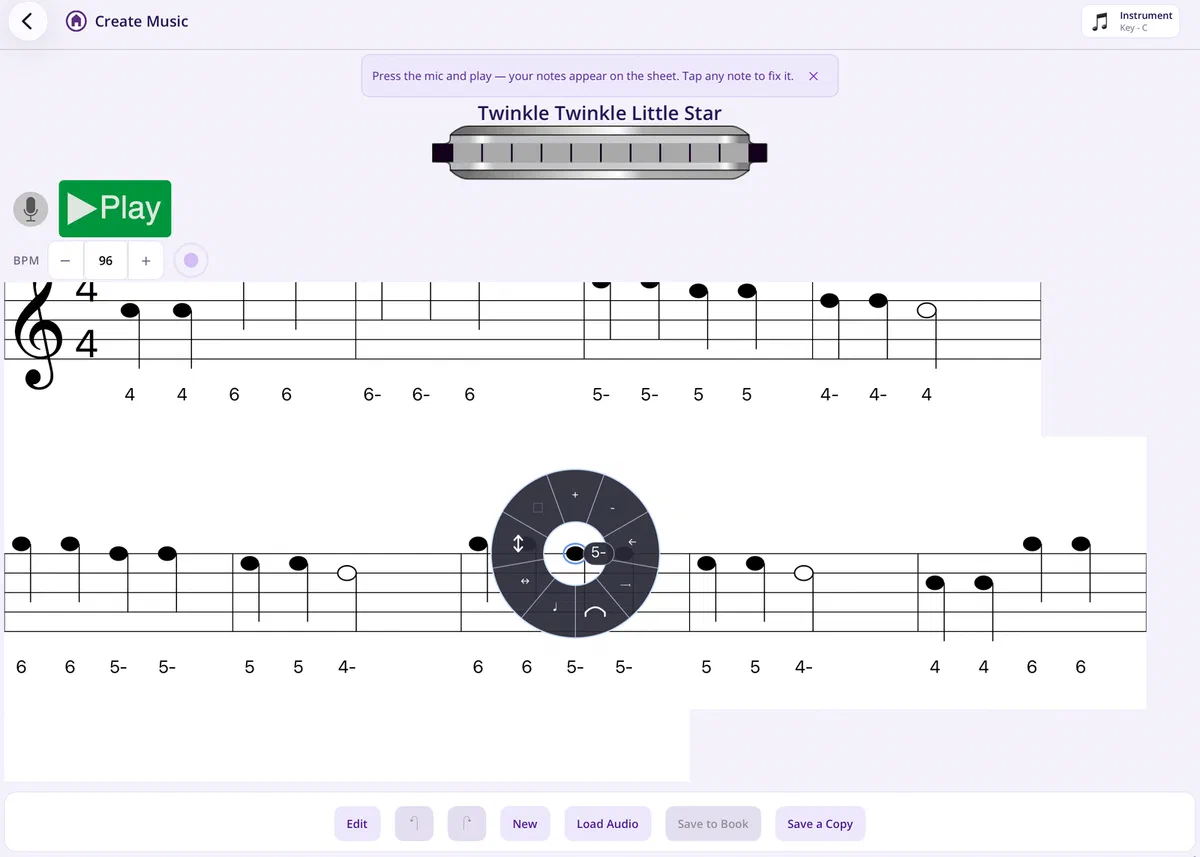
Press the mic and play. Blows, draws, bends and chords land on the staff as you go, on the right holes, with the tab underneath.
New — progress
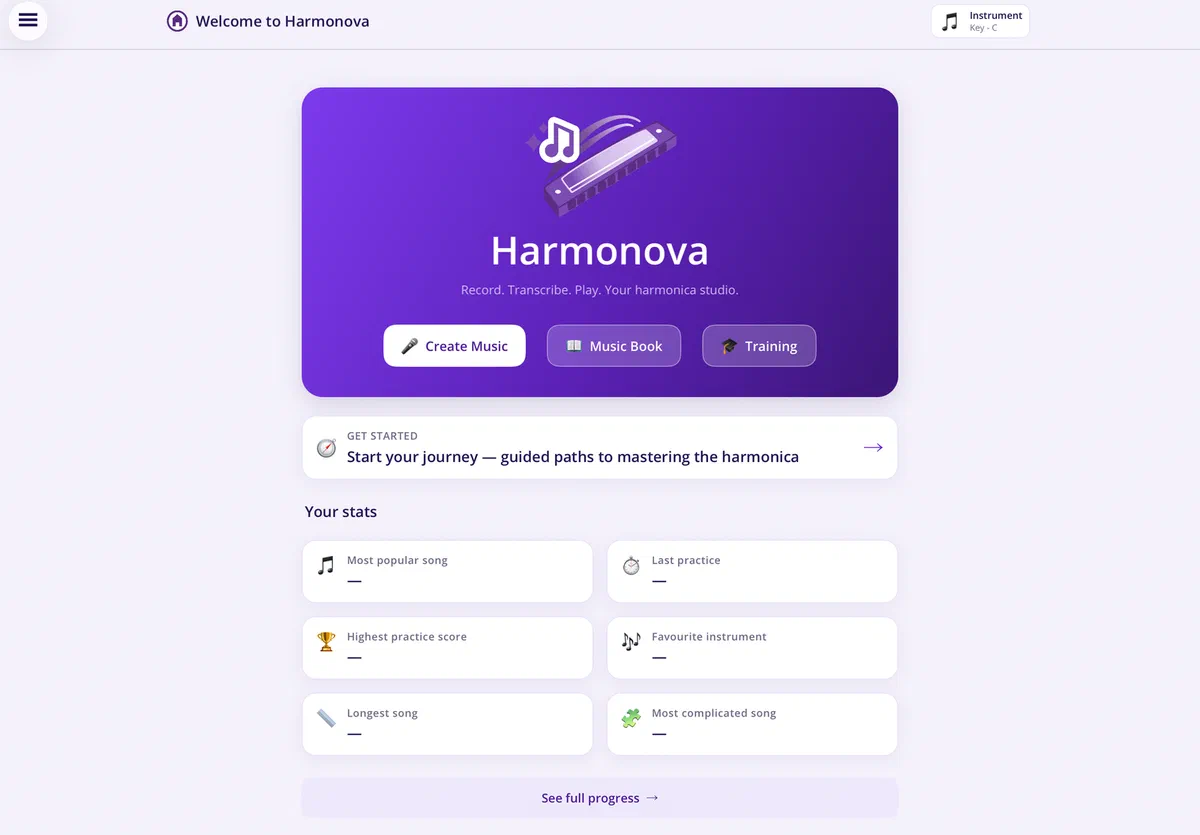
Your dashboard opens on the numbers that matter — last practice, highest score, favourite instrument, the song you keep coming back to.
Dig further into the full Progress page for your practice streak, total time on the harp, personal bests, how your scores trend over time, and every lesson you have in flight. Achievements unlock as you go, and they never re-lock.
Diatonic and chromatic, 4 to 24 holes, custom tunings, and the popular keys preconfigured. Calibrate each hole individually for blow and draw.
A tempo stepper and an audible click you can set the volume of — with a beat that pulses on screen so you can keep time by eye as well as ear. Have it on by default, or tap it on and off mid-session.
Every piece in one place, ready to open, play, practise or edit — with search and sort that survive a restart.
Unlock achievements as your playing, practice time and repertoire build up.
On a small screen the music slides past a fixed playhead instead of wrapping, so you can always see what's coming next. Landscape editing, and controls big enough for real thumbs.
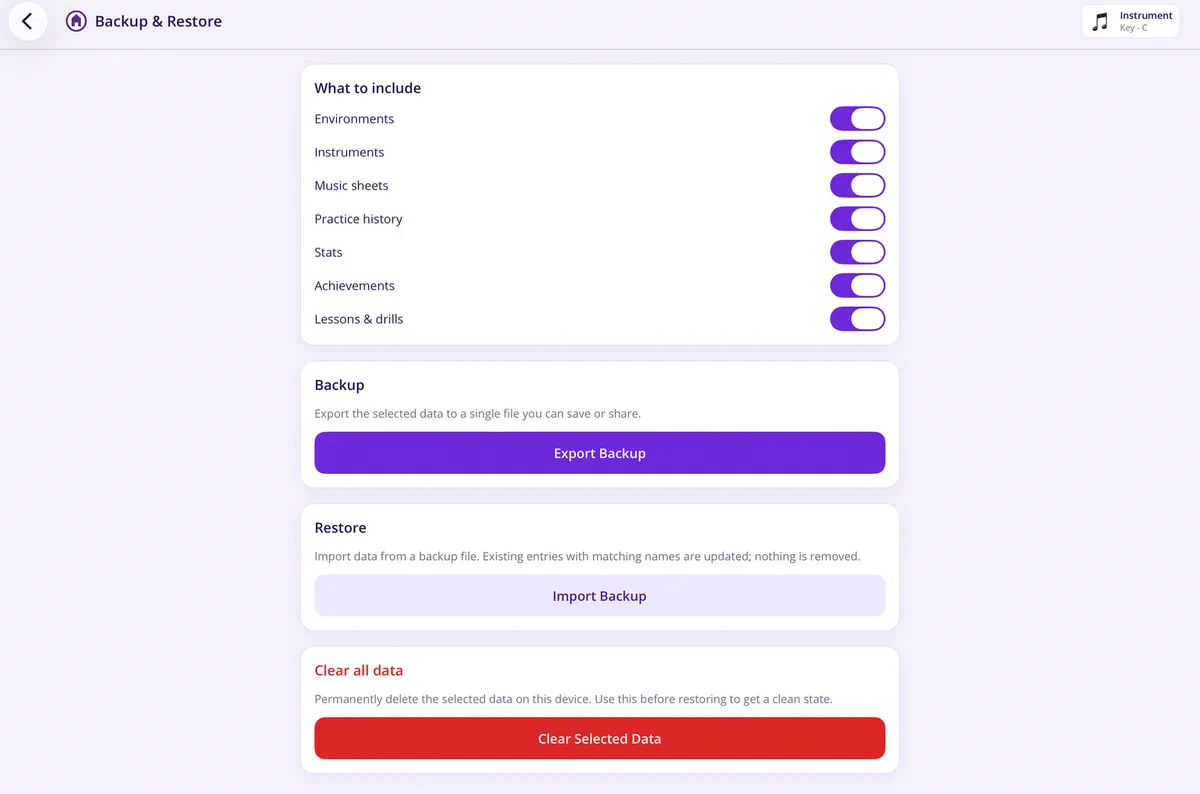
Export exactly what you choose — instruments, environments, music, practice history, stats, achievements, lessons and drills — to a single file you keep.
Your audio and your music never leave your device. Transcription, scoring and playback all happen on your device.
You don't need to create an account, supply your email address or phone number. Harmonova doesn't need it, so never asks for it.
Harmonova can track usage and performance metrics to help improve the app. The app can also send crash reports if things go really wrong. Both these features are off by default, you need to opt-in to help make the experience better.
You can export all the data you create in Harmonova at any time to a file. You can then copy that file locally, to a cloud service, another device or share with a friend. What you do with your data is entirely up to you.
No — recording, transcription, scoring and playback all work offline, on your device.
No accounts are needed to use Harmonova. You will need an account for the app store(s) you choose to purchase through: Microsoft, Apple, Google, etc.
Yes. Start the First Breaths journey: it takes you from getting one clean note out of the harmonica to playing your first real song. Nothing is locked, so you can skip ahead whenever you like.
Diatonic and Chromatic harmonicas are supported. Harmonova supports harmonicas with between 4 and 24 holes. Each hole can be individually calibrated for blowing and drawing. Bends are supported where appropriate. If you have custom tuning, you can configure it in the app.
A bar sweeps across the music as it plays. Each note you play is matched against the note the bar has reached, and marked green (on time), amber (close) or red (wrong note); a note you never play is marked missed. Because the scoring and the bar you're watching are the same timeline, a note is never judged before the bar gets to it. You can practise at 50%, 75% or full tempo.
That's what the Technique Trainer is for. Pick a target, play it, and you get live feedback on whether you're holding it cleanly — repeated until you can do it on demand.
Audio is processed on your device and is never uploaded. See the Privacy Policy. Harmonova does record your playing while calibrating your instrument. These recordings are used to play back songs you record with the instrument. These recordings are never shared but you can export the instrument with the recordings to use on other platforms or share with friends.
Harmonova is not free but it is priced at a fraction of the cost of a professional harmonica. Harmonova is designed to help you with your journey and want it to be accessible to as many people as possible.
Yes! You can export your music sheets to share with friends or import into other software. Harmonova uses a human-readable tab format. Lessons and drills export as a single bundle that carries everything they need, so they work on a fresh install. Backups and exports use zip files that are easily readable by most operating systems.
Yes, you can install Harmonova on multiple devices using the same app store account. Separate purchases will be needed to use across platforms like MacOS and Windows.
Have a look at the Instructions page for detailed information about every feature of Harmonova. If you're still stuck, support is but an email away support@harmonova.app.